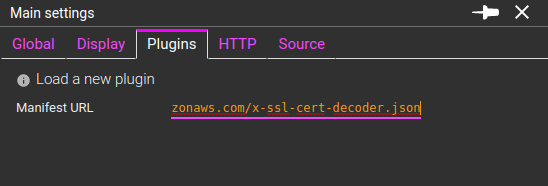
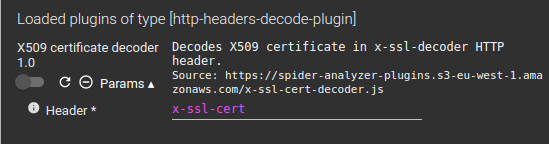
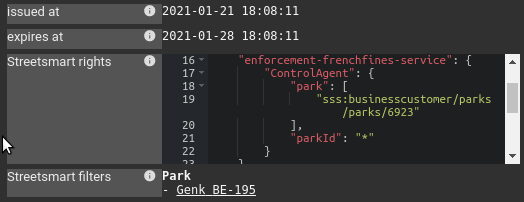
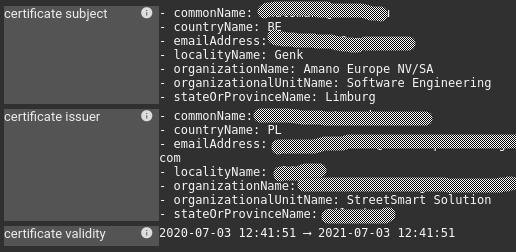
Automated setup ! :-)

· 2 min read

Spider configuration crazyness

I figured out that if I wanted easy adoption of Spider, I had to improve the setup.

Indeed, the way to setup Spider was cumbersome! If the infra (Elasticsearch cluster, Swarm applicative cluster) can be automated with Terraform and Ansible, the cluster configuration involves many assets:

  • Microservices configuration: 34 files
  • File beat & metric beats configuration: 2 files
  • JWT keys
  • SMTP configuration
  • Traefik configuration
  • Elasticsearch indices provisioning (and maintenance)
  • Swarm cluster configuration: 10 files

All those files having parameters with consistent values, links and a lot of potential failure in case of wrong configuration. Moreover update of configuration on evolutions was really a pain involving GIT history, diff and so on.

So I decided to automate Spider setup and update.

Result

The result is ... WoW :) (not Blizzard one, my own :-p) Here is the 'minimal' configuration file to have a running Spider installation, from scratch:

22 lines :-) Neat !

How it works

Original setup

Setup instructions are summarized in 4 steps/commands and all configuration is in one file now. From this file, a bunch of scripts:

  • Validate the configuration
  • Take configuration templates and create the environment own configuration from them
  • Provision or update the indices
  • Create the original admin account
  • And start the cluster :)

Here are the setup instructions:

Configuration templates are available in a GIT repo that will receives updates for all new features.

Upgrades

  • 'make update' will rebase the local repo with the trunk
  • After which a 'make config db cluster' will be enough to update current installation.
  • And of course, in case of new required setup values in setup.yml, the user will be told, and the update stopped.

The indices update is automatic and based on metadata added to the indices. It handles parent templates, ILM policies, rolling over indices, rolling up indices and static indices.

  • Rolling over, reindexing and cache purging is all handled programmatically., and automatic. This is so goood =)


What do you think? Do you like it? I did a demo of ideas and execution to Streetsmart DevOps team today... and I think we'll target the same kind of improvement for Streetsmart! Yeah :-)

New saving options - TcpSessions and Http parsing resources - leading to a huge optimisation !

· 3 min read

New saving options

Due to upgrade to Redis 5.0.7, a bug that I'd been tracking for months has been solved (on Redis ;) ), and now parsing quality is 100% :-) apart from clients issues.

Then I moved to next phase: it is possible not to save parsing resources any more, thus leading to a huge optimisation in Elasticsearch usage...

For this, I recently added two new options in Whisperer configuration:

  • Save Tcpsessions
  • Save Http parsing resources

No need to save those?

As for most cases, at least on Streetsmart, we do not work with Tcp sessions and Http parsing resources, there is no use to save them in Elasticsearch.

  • These resources are indeed only used to track parsing quality and to troubleshoot specific errors.
  • These resources are also saved on Elasticsearch for recovery on errors... but as there are no more errors... it is completely possible to avoid their storage.

I had to change the serialization logic in different places, but after a couple of days, it is now stable and working perfectly :)

The whole process of packets parsing is then done in memory, in real time and distributed across many web services in the cluster, using only Redis as a temporary store, moving around 300 000 packets by minute 24h/24, amounting to almost 100MB par minute!

That's beautiful =)

What's the result?

  • Less storage cost
  • Less CPU cost for Elasticsearch indexation
  • More availability for Elasticsearch on the UI searches :-) You must have noticed less timeouts these days?

On UI, when these resources are not available, their hypermedia links are not shown. And a new warning is displayed when moving to TCP / Packet view:

Currently, Tcp sessions and Packets are only saved on SIT1 and PRM Integration platforms. For... non regression ;)

One drawback though

Those resources where rolled up in Elasticsearch to provide information for the parsing quality line at the bottom of the timeline. :-/

As I got this evolution idea AFTER the quality line implementation, I have nothing to replace it yet. So I designed a new way to save parsing quality information during the parsing, in a pre-aggregated format. Development will start soon!

It is important for transparency as well as non regression checks.

Upload Whisperers now have their own storage rules, and purge is back :)

· One min read

Thanks to Leo, we just found out that recent evolution with Index Lifecycle Management had removed the possibility to purge the data manually uploaded to Spider.

I then changed a bit the serialization and storage architecture so that Upload Whisperers have dedicated indices and lifecycles.

Thanks to index templates inheritance and a clever move on the pollers configuration, the changes where pretty limited :)

So now:

  • Uploaded data are kept for several weeks.
  • Uploaded data can be purged whenever you don't need them anymore

Small change, big effects - MTU setting in Docker overlay network

· 2 min read

Hi,

Thanks to Pawel who shared me this link: https://github.com/moby/moby/issues/37855, I tried and changed the MTU settings of Spider internal cluster overlay network.

docker network create spider --driver overlay --subnet=10.0.0.0/16 --opt com.docker.network.driver.mtu=8000

It's only like two words to add to the network settings, but it requires you to restart the full cluster (which I don't do anymore very often ;)).

And the effet was immediate:

  • Around 50% faster intra cluster exchanges
    • See graphic on the bottom right
    • Other graphs show that load is the same and quality of parsing the same as well.

  • Around 10% less CPU usages on cluster nodes
    • But not that there is no change in service CPU usage: Docker daemon is using less CPU

Man, small change, big effect !! Why isn't this documented in Docker docs ?!

Thibaut


Btw, in the 15min outage, I had time to:

  • Upgrade Docker, and security packages of all servers
  • Upgrade Elasticsearch, Kibana and Metricbeat ;)

Thanks for compatible versions =)

Parsing quality

· 4 min read

I recently added a new feature to Spider timeline:

It now shows the parsing quality of Spider for the selected Whisperer(s).

What do I mean by this?

Explanation

Spider captures packets, then sends them to the server that rebuilds the network communications. Due to the massive amount of packets received (around 4 000/s on Streetsmart platform, 300 million a day), they are processed in real time with many buffers to absorb the spikes.

However, trouble may get in the way in many places when a spike is too big:

  • On client side:
    • The kernel buffer may get full before pcap process all packets
    • The pcap buffer (network capture) may get full as well
    • Spider server may not be able to absorb the load, and the Whisperer buffer may overflow (by backoff)
    • The same may happen for Tcpsessions tracked on client side... but I never saw this happen.
  • On server side:
    • Under too much load, or infrastructure issue, the parsing may not find all packets (Redis buffer full) and fail to rebuild the communication
    • And there is currently a 'last' bug that happens under high load as well that sometimes packets cannot be found.. although they SHOULD be there (I'm trying to track this one down, but this is not easy)

All in all, there are many places where it may go wrong and that could explain that you don't find the communications you expected!

This information of the goood health or not of the system is available in Spider monitoring, but not so easy to process.

Quality line in timeline

Thus I designed an enhancement of the timeline so that you know when the missing data MAY be a Spider issue.. or if it is indeed due to the system under monitoring ;)

Below X axis, you may see underlined parts in red. They tell you that there have been parsing issues in the period. The redder the worse. (Timeline is showing PIT1 on november 21st)

You will then find detailed information when hovering on them:

Lots of red !!

Don't be afraid, the quality is good:

  • The light red is the first threshold. Here, we lost 8 packets out of 2 millions! Looks like there has been a surge of load at this time, and Spider could not absorb.
  • Over the full day, on PIT1, we could not parse 11 communications out of 2,2 Millions. That's 99.9995% quality!

If failures happens too often, the buffers need to be enlarged, or the server scaled up...


So now you know, and when it gets really red, call me for support ;-)


Hide the line

You may hide this quality line - and avoid making the queries - in the timeline menu. This settings is saved in your user settings.

Last info

This is PRM integration platform. It is much redder. Indeed, there are many packets lost by pcap. And this is due to the old Ubuntu version!

Indeed, pcap filters are applied after capture on this Ubuntu version, and not before. Thus, the pcap driver captures all packets of all communication in its buffer before filtering and sending them to the Whisperer.

I enlarged pcap buffer from 20 to 60MB on this server, but it is not enough still. If Yvan, you are missing too many communications, this can be the cause, and we can enlarge the buffer again. It is easy to do, it is done on the UI ;-)

LDAP authentication!

· One min read

Spider now supports delegation of authentication to an external LDAP server :)

Getting ready for the enterprise!

Improved tooltips for Network Map

· 3 min read

What's coming here is the original reason for the rework of Templates. Templates are enriching the tooltips displayed on Nodes and Links, with new filters, more valued added data and other add'ins coming from the work I achieved on my monitoring UI.

See the changes by yourselves, they are live :)

Server nodes

Before

After

The tooltip include a summary of the Node activity over the selected period:

  • Count of replicas
  • Count and rate of requests in and out
  • Errors listing of there are
    • 4xx
    • 5xx
    • No response
  • Load and speed of data exchanges
  • And, for the 5 more used templates:
    • Count and rate of requests
    • Avergage latency
    • And errors

For errors and template a quick filter icon allows you to filter selection on these communications, or to remove them from selection (if clicked with Ctrl).

It is pretty handy :-)

Client nodes

Before

After

As for servers, we now see rate of requests, templates of requests called and latency, with the previous information still present.

This makes it much quicker to see what client calls what.

Before

After

The links data has already been much improved, on the same model.

New over the arrow display

As for the monitoring dashboard, I added over the arrow display on the chart. When overing a link, you quickly see the global request rate and average latency. As seen on the above screenshot.

Pinnable tooltips

All the above tooltips can be pinned with their top right icon. This allows to quickly compare different time window, by moving the time selection on the timeline and seeing the metrics being updated!


Those tooltips may have other quick improvements in the weeks to come, with feedback from usage and from you! :) Tell me if you find this useful! The whole goal is to speed analysis up, more and more.

Cheers

Custom contexts for JSON-LD payloads

· 2 min read

JSON-LD recompaction

JSON-LD payloads may be very custom. Between the client context and the server context, there can be many difference that fundamentaly change the JSON representation.

In Streetsmart,

  • This feature is used to uglify and condense payloads from devices.
  • This feature is used by clients that may use different contexts than the server's.

Some payloads become very difficult to read:

You may now define custom contexts to recompact the JSON-LD payload into a more readable JSON:

This payload is the same in JSON-LD sense. But much better in human eyes ;)

Contexts and templates

In order help you even more, the custom contexts that you defined are saved in your user settings, associated to the template of the request / API endpoint (if a template has been defined).

Thus, you may define different contexts... for different endpoints, and you don't have to keep then anywhere, Spider does it for you :)

Review

Please tell me how it feels after usage. It is a quick dev. So, suggest me any improvement you need!

Cheers!

Reworked Template feature

· 5 min read

Previous state of URL templates

Since many months, it was possible to defined URL templates in user settings to perform URL matching in filtering and stats:

Config

Grid filtering

Stats

It worked, but:

  • It was a pain to configure - a regular expression for each URL
  • It was not very explicit - the regular expression as label
  • It was not efficient - the regulare expression were used as filters in Elasticsearch queries, which made Elastic run ALL regular expression on all URIs everytime the filter was selected... :(
  • Templates were associated to a user but not a Whisperer or a team

I then did a major rework of the feature to be more efficient, user friendly and... to allow more features to be built on it :)

The new Request Templates!

First, you may notice from the name that it is not any more URL templates, but Request templates. Why? Because not only the URL can be analysed, but also the HTTP method, the headers and the body.

You define for each template:

  • A name
  • The fields to parse
  • A regular expression

And Spider associates the HTTP communication to the first matching template while Parsing.

Pros: much faster, flexible, easy to use and extensible. Cons: one time processing only. You cannot change already parsed and templated communications. Testing patterns is complicated, for now.

Look.

Configuration

The Request templates are part of Whisperer parsing configuration.

  • The regular expression is matched over a combinaison of selected request parts.
  • The template name of the first matching template is saved in req.template field of the HTTP communication
    • The name can be plain text or include values extracted from the match
    • The regular expression is used as a substitution pattern over the name

The regular expressions above are enough to match all (or I believe so) endpoints exposed by Flowbird Streetsmart.

Ex:

For Streetsmart, the configuration is maintained in this Google Sheet. And then I just copy paste to Spider form. Gorgeous :)

Data filtering

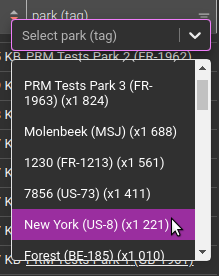
The templates can be filtered in the grid:

Or in the menu:

Detail view

The template associated to the HTTP communication is visible in the detail view, that encountered a small reorder of fields:

As with any other field, you may add or remove the template from the filter with the small glass nearby.

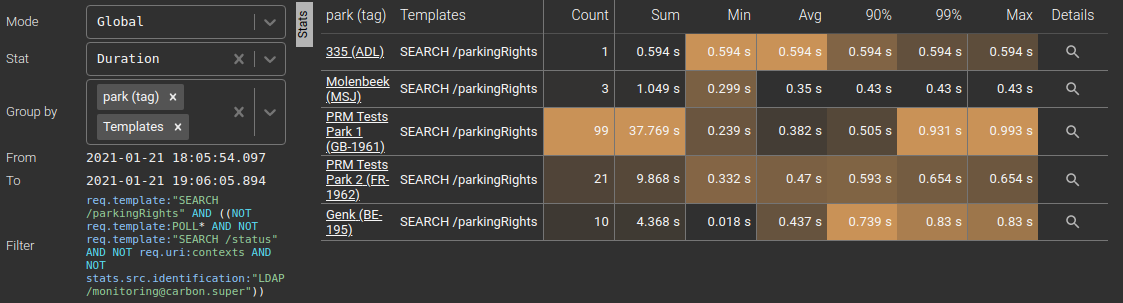
Stats

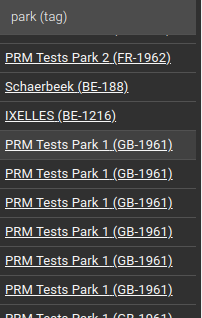
Templates are available as a grouping field in HTTP stats. And they make stats much more readable than previous version:

What's the use of selecting Headers of Body in template configuration?

In some cases, like XML or JSONRPC, the URI is not enough to 'name' the request. Then, parsing the headers or the body becomes useful.

Example with PRM software configuration:

Which makes PRM exchanges much more readable compared to the URI only :) !!

However, this is to use with caution:

  • Parsing the headers introduce more memory usage on the server, but this is ok
  • Parsing the body implies to decode the body (manipulated as a buffer otherwise) and to uncompress it when it is encoded in Gzip, Deflate or Brotli.
    • As Spider is processing around 400 communications /s right now on Streetsmart, that could mean 400 unzipping every second if we have to analyse the body.
    • So it must be limited to certain conditions.

I'm thinking of splitting body from the other inputs, to limit body parsing to certain URIs... but I have issue on how to make it still easy to configure.

We can even make stats on PRM:

However... it is difficult to split success and errors when an API always sends 200.

That's when you need Tags in place! They come next!

What's coming next?

Request templates are allowing us to:

  • Derive the feature to offer a 'tagging' feature (next blog item in row)
  • Enrich the network map display and tooltips (in coming weeks)
  • Implement a regular croned request on production to get regular automated stats

Deprecation

Existing URL template feature is deprecated and is going to be removed soon. Should you have issues with this, please tell me.