Open a communication
Spider opens every captured communication in the same detail panel - the Global, Headers, Body and Packets tabs are shared across protocols. This page walks through it with HTTP as the worked example; the "Other protocols" note at the end lists what changes for gRPC, PostgreSQL, MySQL, Redis and Kafka.
HTTP parser
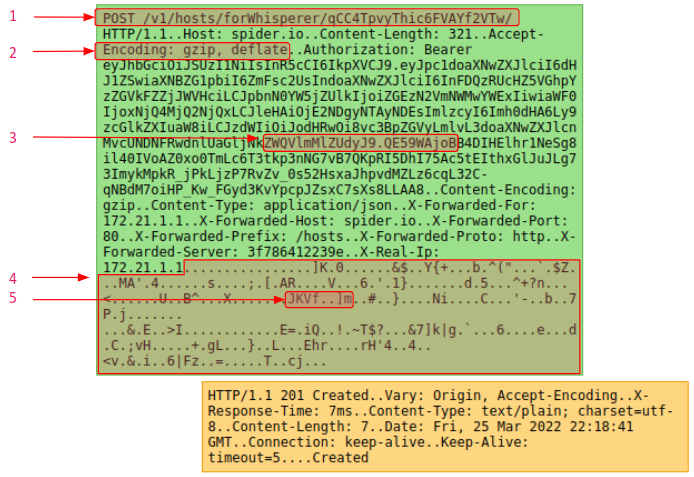
HTTP parser parses IP packets of a TCP session to find HTTP communications inside.
Especially, it:
- Associates a request template depending on the configuration
- Extracts HTTP metadata and headers
- Extracts client identification
- Rebuilds and decode payload
- Extracts tags depending on the configuration
HTTP detail panel
When opening an HTTP communication from the Grid or the Sequence diagram, it opens in the details panel.
HTTP global tab
The HTTP detail global tab shows main information of the HTTP communication.
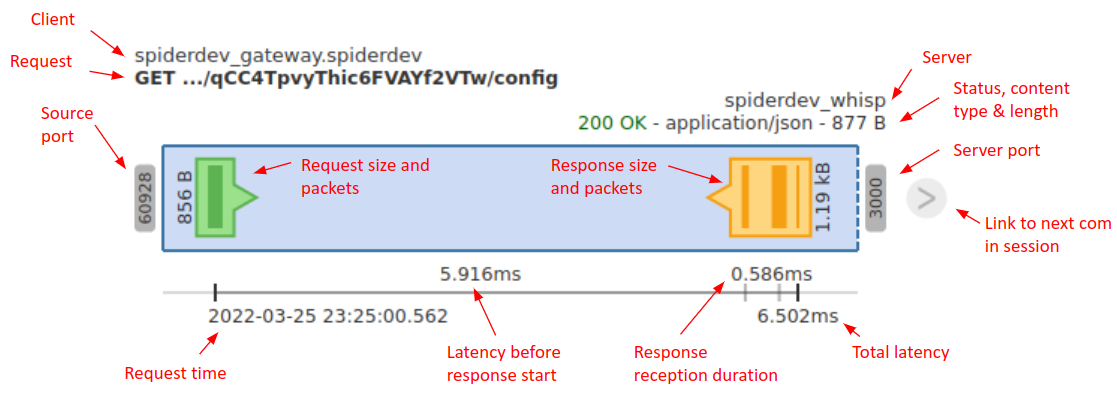
The top of the tab is representing the HTTP communication as a graphic frieze, then it lists the most important metadata of the communication.
HTTP graphical representation
HTTP fields
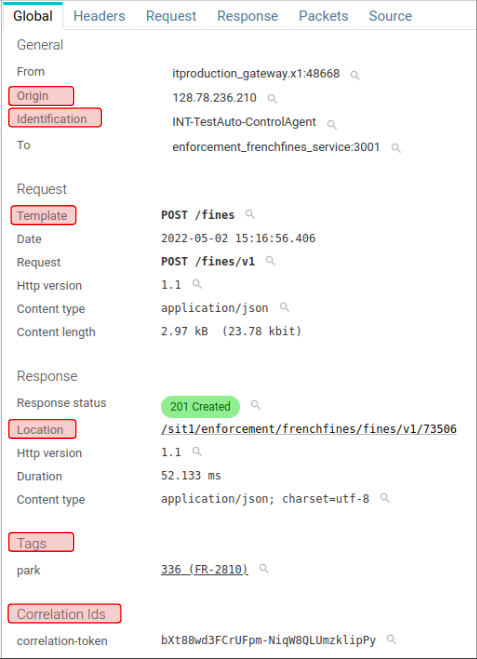
Most fields are self explanatory by using HTTP own labels and semantic.
But Spider adds some computed fields :
- Origin: Original IP / Host that did the request (from x-forwarded-for)
- Identification: Id of the client that did the request (decoded from authorization header)
- Location: Rebuilt link of the HTTP resource
- Template: Label of the template as computed by parsing rules
- Tag: Tags values and label computed, including the correlation tags that link this call to the rest of its chain
Quick filters are available for many of the available fields.
HTTP headers tab
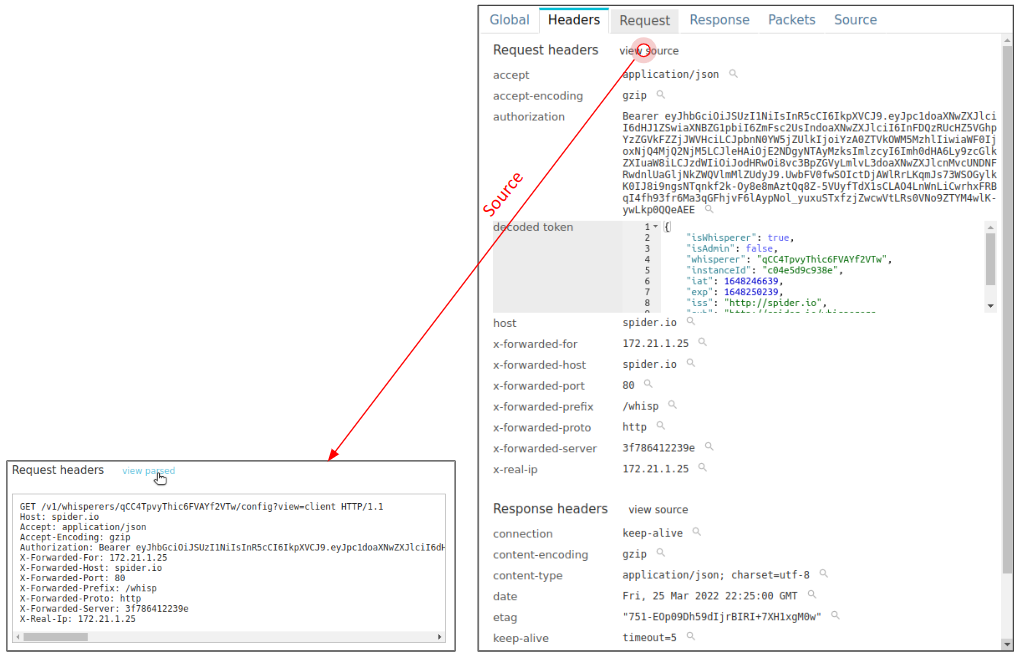
This tab shows request and response HTTP headers
- List of keys and values
- A Quick filter is available for each
- Decoded authorization header
- Enriched values from plugins (option)
- Raw text headers are visible by clicking on view source link.
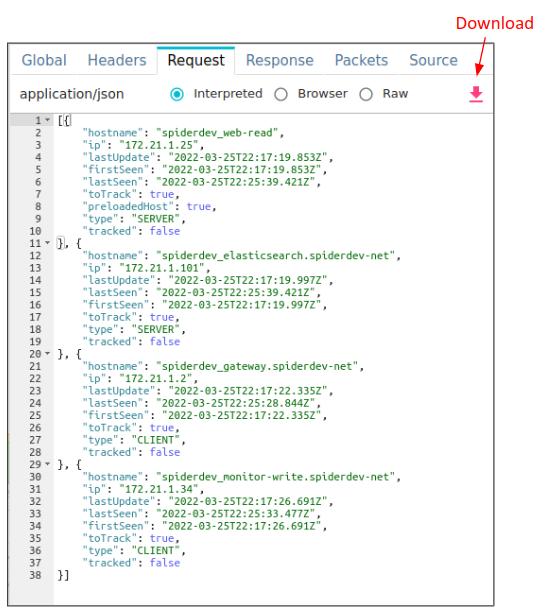
HTTP request and response body tabs
This tab displays the payload content of the communication.
It also allows downloading of the payload.
3 views are available.
- Raw - Text representation, after reassembly and decompression
- Browser - As interpreted by the browser (iframe + content type)
- Best for images, videos, etc.
- Interpreted - Parsed and displayed by Spider
- Color syntaxing and pretty print for HTML, CSS, JS, JSON, XML
- Context compaction for JSONLD
HTTP packets tab
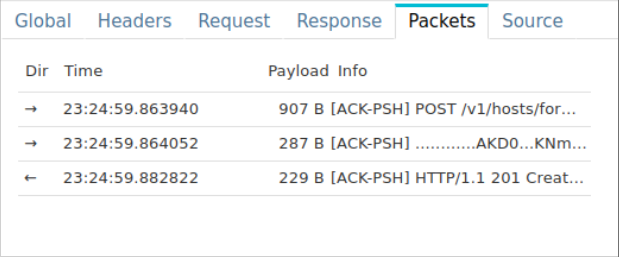
This tab lists and offers access to the IP packets composing the HTTP communication:
- Direction
- Time
- Payload size
- First bytes of data
👉 You may click on them to open their details view.
Packets may also be accessed from the graphical representation in Global tab.
HTTP GraphQL tab
When GraphQL parsing is on, a communication to
a GraphQL endpoint gets one more tab, right after Response - hidden on every other HTTP communication, and hidden
everywhere when the global.flips.graphqlParsing flip is off.
It has three sections:
- Operation - type (query / mutation / subscription / batch), name, root fields and the query hash - the same identity that named the row in the grid.
- Outcome - the GraphQL status (
OK,PARTIAL,ERROR,UNKNOWN), independent of the HTTP status code, plus the error count, code and message when the response carried errors. - Query - the request document, pretty-printed. Variable names are listed alongside it; variable values are not part of this metadata and only show if you also have payload access, same as any other request body.
👉 Reading the query text needs the same content permission as the request body - a user without it sees the operation and outcome, but not the formatted query.
The grid gains a GraphQL status column (hidden by default, add it from the column picker) and a GraphQL
section in the filter menu, letting you filter on the operation type, name and outcome directly - for example to
find every failed operation with res.graphql.status:ERROR.
Comparing 2 HTTP communications
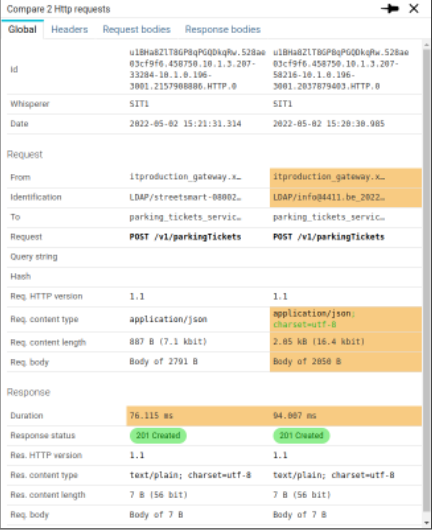
👉 From the grid, you may select 2 or more HTTP communications and compare them straight in Spider.
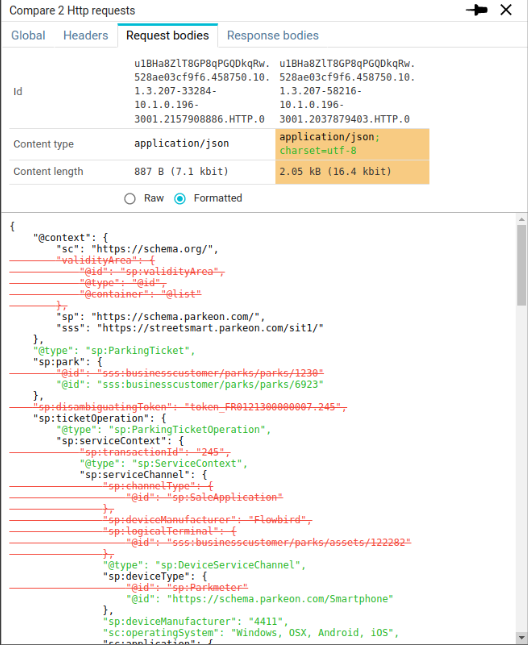
Differences are highlighted in orange, and changes are marked with green (new) and red stroked (removed).
HTTP metadata and headers are compared as a side by side list:
HTTP payloads or compared line by line:
Other protocols
The same panel opens for every decoded protocol; only the payload specifics differ:
- gRPC - binary protobuf, shown as readable JSON via transcoding (Request/Response tabs).
- PostgreSQL - the SQL query with its bound parameters, plus the returned rows.
- MySQL - the SQL statement with its bound parameters and query analysis, plus the returned rows.
- Redis - the command, its keys and arguments, and the reply.
- Kafka - the event, with its key and value payload.
- MongoDB - the command document and the reply documents, in Extended JSON, behind payload access.
- MQTT - the message, with its topic, QoS, MQTT 5 properties and payload, decoded on request (JSON, Sparkplug B, Protobuf, Avro, CBOR).
Whatever the protocol, the identifiers Spider extracts from the payload let you follow one thing across all of them - see Follow one thing across protocols.
Now that you know how to capture data and open it, let's see how to follow one thing across protocols - the capability that ties your whole stack together.