Refresh data
Manual refresh
You may trigger a refresh of data at any time by clicking on the Refresh button in the navigation bar:

When auto-refresh is active, the button is shown in light blue.
Auto refresh
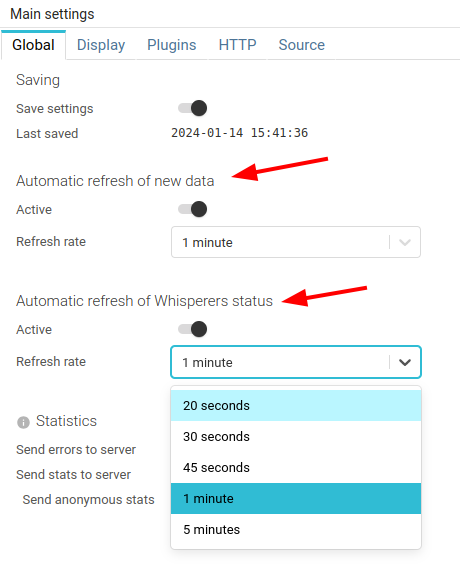
The UI auto refreshes depending on the configuration defined in settings panel.
- For new captured data
- For Whisperers status
Auto-refresh feature may trigger and configured in the Settings:
Auto-refresh may also be activated / deactivated quickly with either a double click, or a long press on the refresh button in the navigation bar.
Performance consideration
To improve performance, each visual component is only refreshed when it is visible and when it may contain new data.