Topic Map
Concept
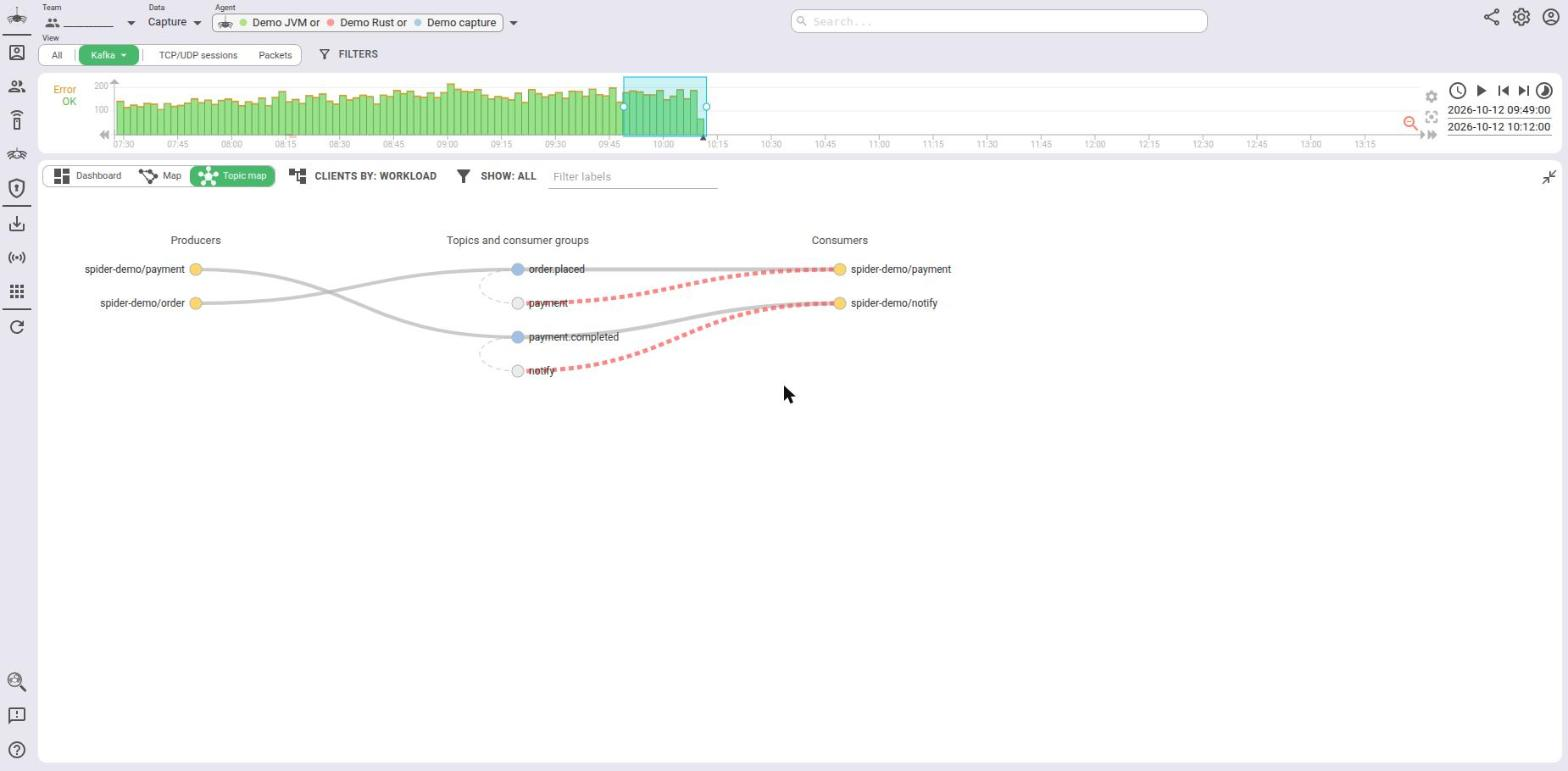
The Topic Map shows the publish / subscribe topology behind the communications currently filtered: who publishes to which channel or topic, and who receives or consumes it.
It is built from the captured traffic only. Spider does not query your brokers: what you see is what crossed the wire during the selected time window.
The same panel serves MQTT, Redis and Kafka:
| View | Left column (producers) | Centre column | Right column (consumers) |
|---|---|---|---|
| MQTT | Publishers | Topics and filters | Subscribers |
| Redis | Publishers | Channels and subscriptions | Subscribers |
| Kafka | Producers | Topics and consumer groups | Consumers |
The map uses the time window, the query, the filters and the whisperers of the current view, like the grid and the Dashboard.
The Topic Map is available on the MQTT, Redis and Kafka communication views.
It is not drawn when the grid is in full screen, or when no whisperer is selected.
Access
Switch the top panel between Dashboard, Map and Topic map from the top panel tabs.
On the MQTT view, the Dashboard Anomalies widget also has a QoS downgrade → open topic map link, which opens the
Topic Map with the QoS downgrade filter already set.
Layout
The map has three fixed columns.

- Left: the clients that publish (MQTT, Redis) or produce (Kafka).
- Centre: the channels or topics. The subscriptions that match a channel are stacked right under it. Subscriptions that match nothing are placed at the bottom of the column.
- Right: the clients that receive, consume or subscribe.
A client that both publishes and consumes appears in both side columns. Hovering one highlights the other.
Rows are sorted by number of links, busiest first, then by name.
What a node is
- Clients are grouped by workload by default (
namespace/workload, or the IP when the workload is unknown). See Grouping clients to group them differently. - Channels are named:
- MQTT: by the topic template when one matches, else by the topic. Data captured before templates existed shows
(no template). - Redis: by the channel template when one matches, else by the channel. On the demo above, channel
order.statusis shown as its templateAnnounce status. Data captured before the Redis parser upgrade has no channel name and is grouped under(no channel). - Kafka: by the topic name. A Fetch v13+ request names topics by id only. When Spider could not resolve the id to a
name, the node is labelled
id:<topic id>and flagged Unresolved topic id.
- MQTT: by the topic template when one matches, else by the topic. Data captured before templates existed shows
- Subscriptions are:
- MQTT: the topic filters (
sensors/+/temp,#...), including shared subscriptions. - Redis: the channels and patterns given to
SUBSCRIBE,PSUBSCRIBEandSSUBSCRIBE. Only subscriptions sent during the time window are known. - Kafka: the consumer groups, matched to topics by their committed offsets, their declared subscription (JoinGroup, ConsumerGroupHeartbeat) or their subscription regex.
- MQTT: the topic filters (

Legend
There is no legend box on the map: everything is carried by colours, line styles and the hover tooltip.
Nodes
| Marker | Meaning |
|---|---|
| Yellow dot | Client (workload, client id, user...) |
| Blue dot | Channel or topic |
| Light grey dot | Subscription: MQTT filter, Redis subscription, Kafka consumer group |
| Orange outline | Flagged channel: Orphan topic / channel, or Kafka Unresolved topic id |
| Dashed orange outline | Flagged subscription: Silent filter / subscription / consumer group |
(Flag name) after the label | The flag set on that node, e.g. invoices (Orphan topic) |
? after the label | Spider could not decide the flag, because the window was truncated |
Links
| Line | Meaning |
|---|---|
| Solid, left to centre | The client publishes or produces to the channel |
| Solid, centre to right | The client receives the channel (MQTT, Redis) or fetches it (Kafka) |
| Dashed, subscription to client | The client holds this subscription (or is a member of this group) |
| Dashed curve inside the centre column | The subscription matches this channel |
| Thicker | More messages or requests (logarithmic scale) |
| Red | Error flag: errors, or no response / not acknowledged |
| Orange | Warning flag: MQTT QoS downgrade or refused subscription, Redis message published to 0 subscribers |
| Grey dotted | Subscription edge into a silent subscription |
Flags
| Flag | Protocols | Set when |
|---|---|---|
| Errors | all | at least one communication on the link has an error status (400 to 599) |
| Not acknowledged / No response | MQTT, Kafka | at least one request got no response (status 1000). Kafka acks=0 produces are not counted |
| No receivers | Redis | at least one PUBLISH was delivered to 0 subscribers |
| QoS downgrade | MQTT | the broker granted a lower QoS than requested |
| Refused subscription | MQTT | the broker refused the subscription |
| Silent filter / subscription / consumer group | all | the subscription matches no channel seen in the window |
| Orphan topic / channel | all | the channel was published to, but nobody received it and no subscription matches it |
| Unresolved topic id | Kafka | the topic was only seen by id, and the id could not be resolved to a name |
Interactions
Hover
Hovering a node or a link highlights it and its links, and shows a tooltip with its metrics.

For instance, the link from spider-demo/order to order.placed on the demo shows:
spider-demo/order produces order.placed
Requests: 137
Records: 137
Bytes: 54.03 kB
Partitions: 1
p95 duration: 0.001 s
Errors: 0
No response: 0
acks=0 (no response expected): 0
Multi-topic requests (volume not attributed): 0
Metrics depend on the protocol:
- MQTT: messages, payload bytes, QoS 0 / 1 / 2 split, retained messages, p95 duration, errors, not acknowledged, requested and granted QoS, share group, matching topics.
- Redis: messages, bytes, p95 duration, errors, messages published to 0 subscribers, subscription kind (exact, pattern, shard), matching channels.
- Kafka: requests, records, bytes, partitions, p95 duration, errors, no response,
acks=0requests, empty fetches, multi-topic requests, offset commits, group leaves, committed offsets, declared and regex subscriptions.
A flag that is set shows as <Flag>: yes. A flag that could not be decided shows as <Flag>: ? (window truncated).
- A consumer's
p95 durationon fetches is usually the maximum wait the client asks for (fetch.max.wait.ms: 500 ms on the Java client, 5 s on the demo): a long poll waiting for records, not a slow broker.Empty fetchescounts those that came back with nothing. - Bytes, records and partitions are only summed over requests that name a single topic. A request on several topics is
counted in
Multi-topic requestsand its volume is not split between topics. - Under incremental fetch sessions, a fetch may omit topics it already follows: consume counts are lower bounds.
- Broker replication traffic (fetches from a replica) is excluded.
Click
Clicking a node, or a produce / consume link, opens the matching communications: Spider replaces the query with a
Topic map filter and switches the top panel to the Dashboard. The grid below shows the same communications.
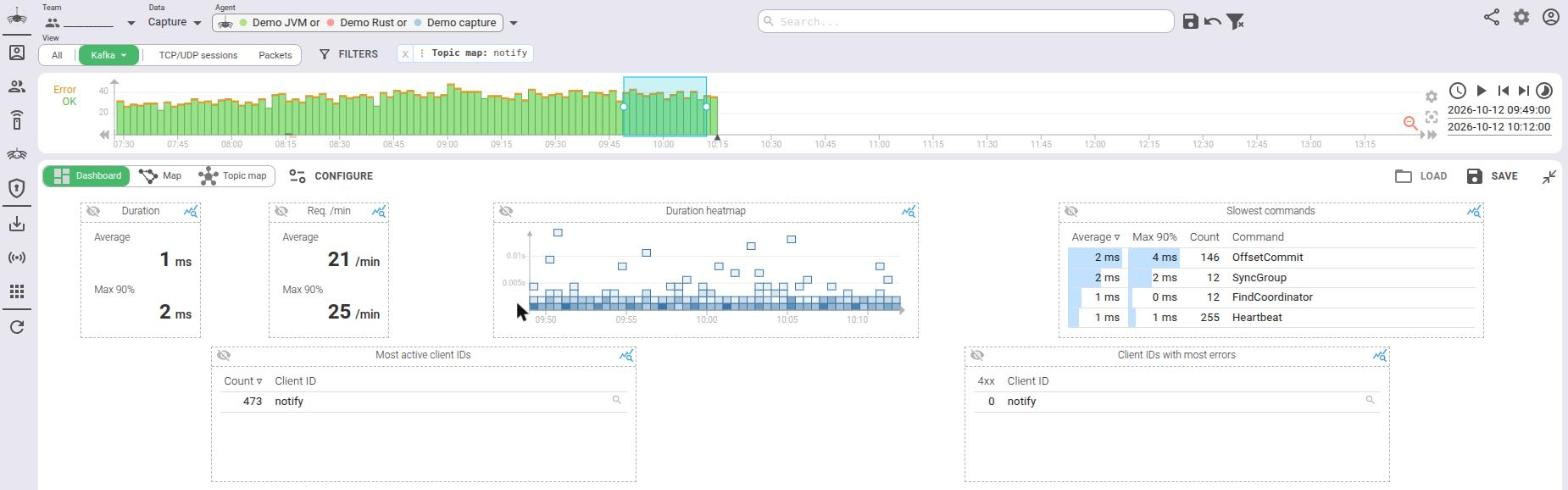
Here, clicking the notify consumer group selects all communications of the group (req.group:"notify"): joins,
heartbeats, offset commits...
Subscription links (dashed) are not clickable: click the subscription node instead.
Remove the Topic map chip to go back to the whole data set.
Zoom and pan
Scroll to zoom, drag to move the map.
Options
Grouping clients
Clients by chooses what a client node is.
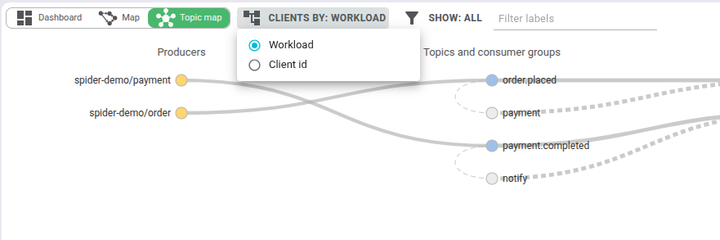
| View | Options |
|---|---|
| MQTT | Workload, Client id, Username |
| Redis | Workload, Client name, User |
| Kafka | Workload, Client id |
Kafka clients without a client id and Redis clients without a name are grouped under (none), Redis clients without a
user under (default).
The choice is saved per view in your settings.
Showing only the problems
Show keeps only the flagged links and nodes, with the nodes at both ends of each link.
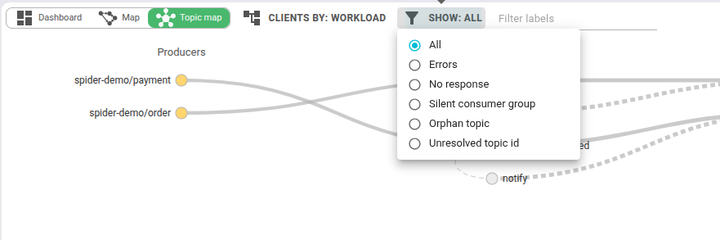
The list of flags depends on the view (see Flags).
Filtering labels
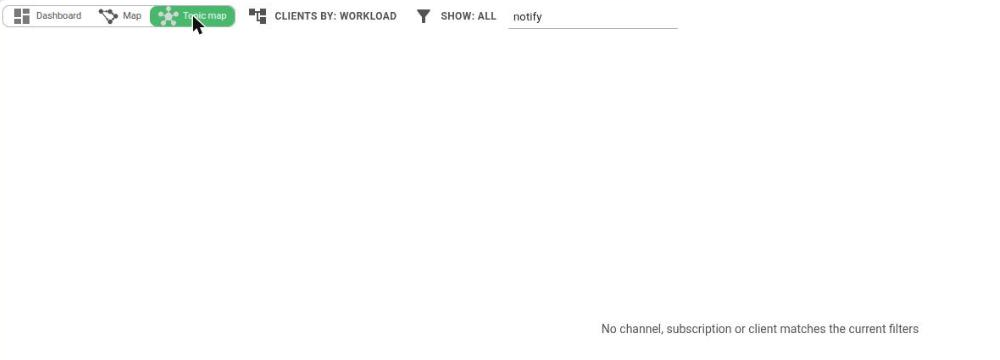
Filter labels keeps the nodes whose label contains the text (case insensitive), and their direct neighbours.

Show and Filter labels apply to the map already loaded: they do not query the server again.
When nothing is left, the map says so:
Limits and warnings
- Truncation: on very large windows, the server keeps the busiest links only. The map then shows an orange
Showing the top edges only (truncated: ...)banner, listing what was cut. Flags that depend on the whole picture (orphan, silent) become?. Narrow the query or the time window. - Old data: data captured before the Redis or Kafka parser upgrades misses information. The map shows a warning:
- Redis: no channel names, grouped under
(no channel). - Kafka: broker replication may be included and Fetch v13+ topics may be missing.
- Redis: no channel names, grouped under
- Invalid subscriptions: an MQTT filter or a Kafka subscription regex that cannot match anything is listed in a warning.
- Redis subscriptions are only known when the
SUBSCRIBEwas sent inside the window. A long-lived subscriber that subscribed earlier shows as a receiver, without its subscription node.